
We are happy to inform you that we’ve released new software - My Pictures 3D!
My Pictures 3D is a 2-in-1 package. The program lets you watch your favorite photos in a beautiful virtual 3D gallery. Besides, it can function as a screensaver. My Pictures 3D is the first product of a special line created to let you enjoy your favorite pictures in 3D.
See the details at http://mypictures3d.com/
You can download the software from http://mypictures3d.com/downloads.html
Besides, we are starting the BETA TESTING CONTEST regarding this software!
You are welcome with your messages and comments on released My Pictures 3D 0.9 version, bugs and errors you may find in it. If you are the first to find a bug or error, inform us about it and you'll be awarded free registration of a program of your choice.
new program: starting Beta testing contest
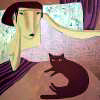
Another piece of good news!

In addition to giving you free registration of a program of your choice as a reward for taking part in the beta testing contest, we promise a set of NEW COOL GALLERIES for My Pictures 3D!
You can read about the existing and upcoming galleries here:
http://mypictures3d.com/galleries.html
Advanced multilevel art galleries will be a pleasant surprise for you. The more space to wander through - the more enjoyment you get!

Re: Another piece of good news!
Anastasi wrote::!:
In addition to giving you free registration of a program of your choice as a reward for taking part in the beta testing contest, we promise a set of NEW COOL GALLERIES for My Pictures 3D!
You can read about the existing and upcoming galleries here:
http://mypictures3d.com/galleries.html
Advanced multilevel art galleries will be a pleasant surprise for you. The more space to wander through - the more enjoyment you get!
I downloaded the castle and tryed install it with picture 3d - it will not load the gallerie - looks like wrong file . it wants *.a3g and the castle gallerie file is call castle.pgal and the greek.pgal is the same
whats up --
H

Same problem
Love the 3d picture saver although no luck installing the castle or Greek files. Any help would be appreciated. 
Craig W Powers
Hello!
Download the galleries from http://mypictures3d.com/galleries/castle.a3g and
http://mypictures3d.com/galleries/greek.a3g
When you install My Pictures 3D, go to the Start menu ->All programs->My Pictures 3D->Configure screen saver
In the appeared dialog window select the 'installed galleries' tab.
Then select the 'install from disk' button. Find the Castle and Greek galleries on you computer and click 'open'.
Download the galleries from http://mypictures3d.com/galleries/castle.a3g and
http://mypictures3d.com/galleries/greek.a3g
When you install My Pictures 3D, go to the Start menu ->All programs->My Pictures 3D->Configure screen saver
In the appeared dialog window select the 'installed galleries' tab.
Then select the 'install from disk' button. Find the Castle and Greek galleries on you computer and click 'open'.
-
dreamweaver
- Posts: 3
- Joined: Sun Nov 06, 2005 6:43 pm
I figured it out. 
The process Jane spoke of will work to install the galleries, however before trying to do so you must first rename the file you just downloaded. For example rename castle.zip to castle.a3g and change greek.zip to greek.a3g Once you have renamed the programs, then you can go to
This will properly install the galleries.
The process Jane spoke of will work to install the galleries, however before trying to do so you must first rename the file you just downloaded. For example rename castle.zip to castle.a3g and change greek.zip to greek.a3g Once you have renamed the programs, then you can go to
->Configure screen saver
In the appeared dialog window select the 'installed galleries' tab.
Then select the 'install from disk' button. Find the Castle and Greek galleries on you computer and click 'open'.
This will properly install the galleries.
2 Dreamweaver: The problem was that when you download the gallery using Internet Explorer, this browser saves the .a3g files as zip automatically. That's the fault of our web-master. He didn't test it.
I use Opera and didn't notice this bug before (Opera downloads the gallery files correctly). So this is my fault too. Because of this I couldn't provide effective help.
We've uploaded new galleries in zip format to the site. Now you can unpack and install them correctly .
.
We do apologize for any inconvenience this has caused .
.
I use Opera and didn't notice this bug before (Opera downloads the gallery files correctly). So this is my fault too. Because of this I couldn't provide effective help.
We've uploaded new galleries in zip format to the site. Now you can unpack and install them correctly
.
We do apologize for any inconvenience this has caused
.-
dreamweaver
- Posts: 3
- Joined: Sun Nov 06, 2005 6:43 pm
Not a problem Jane. Glad I was able to help though and get the problem fixed. It really is a cool program. By the way is there any way to frame horizontal pictures like the cat appears when you first bring the program up? Virtical pictures show perfectly but horizontal pictures seem to frame themselves with the picture itself. It cuts the picture in half and makes the picture itself the frame. Any setting to fix this?
-
danielrigano
- Posts: 1
- Joined: Thu Jan 24, 2008 1:48 pm
- Contact: